
There is nothing more frustrating than replacing a faulty-looking automotive component only to discover that the original problem still exists. A conventional code reader can point you toward a potential problem, but it rarely tells the whole story. This is where a bidirectional automotive diagnostic scanner becomes particularly useful.
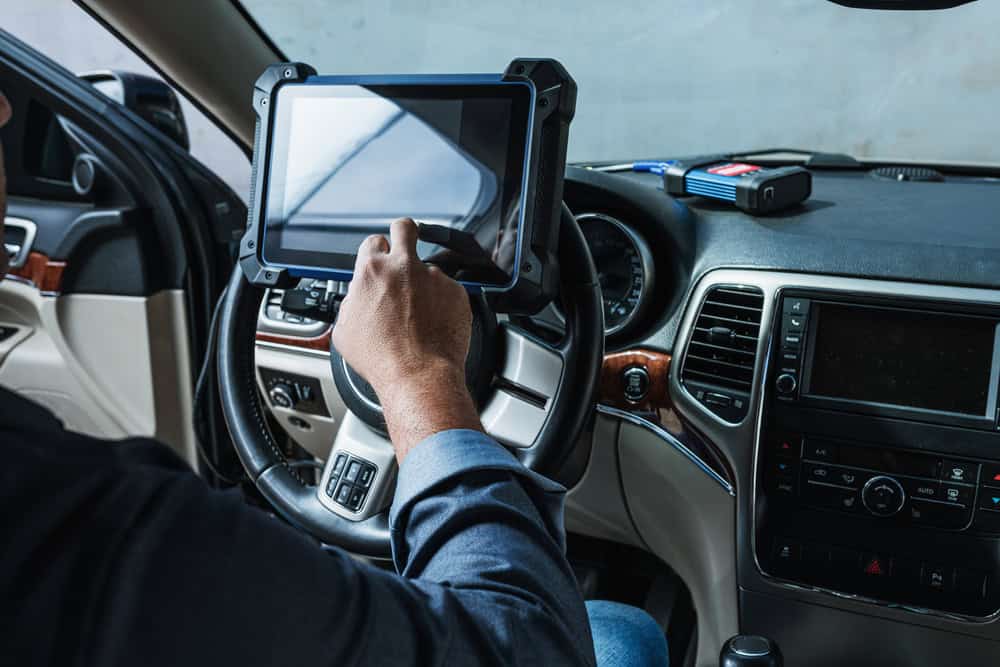
If you are looking for the best bidirectional OBD2 scanner under $500, you probably want something more capable than a basic diagnostic tool without spending thousands of dollars on professional workshop equipment.
In this guide, we compare five capable automotive scanners suitable for experienced DIY enthusiasts, mobile mechanics, individuals and independent repair shops. Some models may exceed the $500 budget at regular prices but are worth considering when discounted.
What is a Bidirectional OBD2 Scanner?
A bidirectional diagnostic scanner communicates with a vehicle’s electronic control modules in two directions. A basic scanner primarily receives information from the vehicle. It reads diagnostic trouble codes, displays sensor data, and may clear certain fault codes. Sometimes, you may not get DTC code with this device.
A bidirectional tool goes further by allowing the operator to send commands to supported electronic systems and observe how individual components respond.
For example, suppose your vehicle’s radiator cooling fan is not operating. A conventional code reader might indicate a cooling system problem, but an advanced scanner may allow you to command the fan directly.
If the fan responds, you can investigate other possible causes, including sensor inputs and control circuits. If it does not, further electrical testing may be necessary.
This approach helps narrow down faults instead of unnecessarily replacing components.
These capabilities are particularly valuable when diagnosing intermittent electrical or mechanical problems. Let us go in depth one by one here:
5 Best Bidirectional OBD2 Scanners
1. TOPDON AD800BT V2.0
The TOPDON ArtiDiag800BT 2 is a practical starting point for vehicle owners who want professional-style diagnostic functions without dealing with the complexity of expensive workshop equipment.
What makes this scanner appealing is its combination of wireless communication, system-wide diagnostics, maintenance functions, and manageable ownership costs.
Key Features and Specifications
| Feature | Specification |
| Display | 6-inch touchscreen |
| Operating system | Android 10 |
| Storage | 64GB |
| Battery | 5,050mAh |
| Vehicle connection | Bluetooth |
| Active testing | Supported on compatible US-market version |
| Maintenance functions | 28 |
| Vehicle coverage | 80+ vehicle makes advertised |
| Software updates | Free lifetime under current US policy |
| CAN FD | Supported |
What Makes It Worth Buying?
TOPDON’s updated lifetime software policy is one of the strongest reasons to consider this model. The absence of routine annual update expenses makes ownership more predictable.
For buyers searching for the best bidirectional OBD2 scanner for the money, the combination of everyday diagnostic capability and lower ongoing software costs is particularly attractive.
Pros
- Convenient wireless vehicle connection
- Compact and relatively easy to handle
- Multiple electronic system diagnostics
- Useful maintenance and relearn procedures
- Free lifetime software updates under the current US policy
- Good balance of functionality and ownership cost
Cons
- Smaller screen than several competing scanners
Who Should Buy It?
The TOPDON is a sensible choice for home mechanics, automotive enthusiasts, mobile technicians, and small garages that primarily perform troubleshooting and routine maintenance.
2. XTOOL D8S
The XTOOL D8S targets users who need more than ordinary fault-code reading and component activation.
Its advanced diagnostic functions make it suitable for experienced mechanics working on vehicles with complex electronic systems.
Although its regular selling price can exceed $500, it becomes a compelling purchase when available at a substantial discount.
Key Features and Specifications
| Feature | Specification |
| Display | 8-inch touchscreen |
| Operating system | Android 10 |
| Storage | 64GB |
| Vehicle connection | Wired |
| Bidirectional control | Supported |
| Service functions | 42+ |
| Topology mapping | Supported |
| ECU coding | Vehicle-dependent |
| Communication protocols | CAN FD and DoIP |
| Software updates | Three years included |
Why Topology Mapping Matters
One of the D8S’s most interesting features is its topology mapping capability.
Modern vehicles may contain dozens of electronic control modules communicating through different networks. When several modules report communication-related trouble codes, identifying the actual source of the problem can be challenging.
Topology mapping provides a visual representation of supported vehicle networks and module communication status.
Imagine a vehicle arriving with multiple warning lights, including ABS, transmission, and traction control warnings.
Replacing individual sensors without checking communication faults can become expensive and time-consuming. A network overview may help identify a module that is not responding or a group of systems experiencing communication problems.
The visual representation provides a useful starting point for further testing with wiring diagrams and electrical measuring equipment.
the advertised AI features are included with the exact version being purchased.
Pros
- Advanced network topology visualization
- Extensive service and adaptation capabilities
- Large screen suitable for reviewing technical information
- Diagnostic data recording and export
- Modern vehicle communication protocol support
- Three years of software updates included
Cons
- Wired connection limits movement around the vehicle
- Regular purchase price can exceed $500
Who Should Buy It?
The XTOOL D8S is most suitable for experienced automotive technicians, independent repair shops, and technically skilled enthusiasts.
If you frequently investigate electrical faults, module communication errors, or complicated drivability problems, its additional capabilities may justify the higher initial investment.
3. LAUNCH X431 CRP919X
The LAUNCH X431 CRP919X offers a useful middle ground between basic consumer scanners and considerably more expensive professional diagnostic platforms.
Its appeal lies in the range of vehicle systems it can investigate and the variety of maintenance and configuration procedures available on compatible vehicles.
Key Features and Specifications
| Feature | Specification |
| Diagnostic coverage | Multiple vehicle systems |
| Active component testing | Supported |
| ECU coding | Selected vehicle applications |
| Automatic VIN identification | Supported |
| Live data graphing | Supported |
| Maintenance functions | Multiple reset and relearn procedures |
| Software updates | Typically two years included |
| Connection | Depends on exact model version |
Do not confuse the CRP919X with the CRP919X BT. The Bluetooth edition is a separate configuration, so specifications should be checked against the exact listing.
Useful for European, Asian, and American Vehicles
Repair shops rarely work on a single vehicle manufacturer.
One day, a technician might diagnose a Toyota with an engine warning. The next day, the problem could involve a BMW electronic parking brake, a Volkswagen throttle adaptation, or a Ford transmission fault.
A multi-brand diagnostic scanner can reduce the need to purchase separate tools for routine diagnostic work.
The CRP919X is particularly worth investigating if your garage regularly handles vehicles from several manufacturers.
Nevertheless, brand coverage should never be confused with complete functional coverage. A scanner might communicate with a particular vehicle but lack an individual coding or adaptation procedure.
Pros
- Suitable for different vehicle manufacturers
- Useful ECU configuration capabilities
- Access to multiple automotive electronic systems
- Active testing and maintenance procedures
- Established automotive diagnostic platform
- Good potential value for independent workshops
Cons
- Some newer vehicles require security authorization
- Coding support varies considerably by vehicle
Who Should Buy It?
The LAUNCH CRP919X is worth considering if you regularly maintain vehicles from different manufacturers and need a versatile diagnostic platform.
It is also suitable for buyers who are willing to evaluate future software renewal costs in exchange for broader diagnostic functionality.
4. MUCAR 892BT AI
The MUCAR 892BT takes a slightly different approach to automotive troubleshooting by combining conventional diagnostic features with AI-assisted fault interpretation.
It also offers a larger touchscreen, wireless communication, and an attractive software update policy.
While its normal price may exceed the target budget, it deserves consideration when promotional offers bring it closer to $500.
Key Features and Specifications
| Feature | Specification |
| Display | 8-inch touchscreen |
| Resolution | 1280 × 800 |
| Operating system | Android 10 |
| Memory | 4GB RAM and 64GB storage |
| Battery | 4,150mAh |
| Connection | Bluetooth 5.0 |
| Maintenance functions | 34+ |
| ECU coding | Selected applications |
| AI assistance | Supported |
| Software updates | Free lifetime |
How Useful Is AI in Automotive Diagnostics?
A scanner displaying a diagnostic code is helpful, but understanding the possible causes behind that code is even more important.
Consider a vehicle reporting a P0171 system-too-lean trouble code.
Less experienced vehicle owners might immediately assume that an oxygen sensor is faulty. In reality, the warning could result from an intake air leak, incorrect fuel pressure, an inaccurate airflow sensor, or other conditions.
AI-assisted diagnostics may help organize possible explanations and suggest areas requiring further investigation.
This can be useful for technicians who want a more structured starting point or enthusiasts who are still developing their diagnostic skills.
However, AI-generated suggestions are not a substitute for measurement, vehicle-specific repair.
Wireless Operation and Display Quality
The larger display is helpful when reviewing several parameters or navigating detailed diagnostic menus.
Its Bluetooth connection also allows more freedom around a vehicle during compatible procedures.
For a busy garage, this combination may improve usability, especially when monitoring an engine related issues with p06dd code or reviewing information alongside another technician.
Pros
- AI-assisted fault interpretation
- Larger, higher-resolution display
- Wireless diagnostic communication
- Lifetime software updates
- Selected ECU coding functions
- Support for modern communication protocols
Cons
- Larger tablet is less convenient for pocket-sized storage
- Advanced procedures remain vehicle-dependent
Who Should Buy It?
The MUCAR 892BT is suitable for experienced enthusiasts and independent workshops that value a larger interface and assistance interpreting technical information.
It is particularly worth considering when comparing the latest features available in 2026 without committing to annual diagnostic software fees.
5. THINKCAR THINKSCAN 673BT
Not every vehicle owner needs extensive ECU coding, topology mapping, or sophisticated module replacement features.
Sometimes the most sensible investment is a dependable diagnostic scanner that handles everyday troubleshooting, active tests, and common maintenance procedures.
The THINKSCAN 673BT fits this requirement well.
Key Features and Specifications
| Feature | Specification |
| Display | 7-inch touchscreen |
| Resolution | 1024 × 600 |
| Operating system | Android 10 |
| Storage | 64GB |
| Battery | 4,150mAh |
| Connection | Bluetooth 5.0 |
| Maintenance functions | 28 |
| Active testing | Supported |
| CAN FD and DoIP | Supported |
| Software updates | Free lifetime |
Lifetime Updates and Vehicle Compatibility
Automotive electronics continue to evolve as manufacturers release new vehicles and introduce updated communication systems.
The 673BT supports CAN FD and DoIP, making it relevant to a range of newer vehicles equipped with these protocols.
Its lifetime update policy is another advantage for vehicle owners who may replace their cars but want to retain their existing diagnostic equipment.
Nevertheless, protocol support does not guarantee compatibility with every future vehicle. The manufacturer must also provide the relevant diagnostic software.
If you are searching for the best OBD2 scanner without subscription costs, the 673BT offers a particularly attractive ownership model for its included software.
Third-party authorization fees can still apply to certain protected automotive systems.
Pros
- Lifetime software updates
- Convenient Bluetooth operation
- Suitable for routine automotive troubleshooting
- Useful selection of maintenance procedures
- Support for modern communication protocols
- Practical screen size for garage use
Cons
- Fewer specialized functions than the XTOOL D8S
- Screen resolution is modest compared with premium tablets
Who Should Buy It?
The THINKSCAN 673BT is well suited to DIY enthusiasts, home mechanics, mobile service technicians, and smaller garages that do not require advanced programming capabilities.
It is a strong candidate if you prefer predictable ownership costs over an extensive list of specialized features.
Can a Bidirectional Scanner Save You Money?
A suitable diagnostic scanner can help reduce unnecessary component replacement and provide useful information before visiting a repair shop.
Consider a hypothetical situation where a vehicle develops a cooling fan problem. Without advanced diagnostic information, an owner might replace several suspected components before identifying the fault. A supported active test may help determine whether the fan responds to an electronic command, allowing the investigation to focus on a more relevant part of the system.
The scanner does not independently prove which component is defective. Electrical measurements and physical inspection may still be necessary.
For a multi-vehicle household, preventing even one or two unnecessary purchases over several years could offset a significant portion of the scanner’s price.
Similarly, an independent mechanic may benefit from a more organized diagnostic process and fewer repeated investigations.
However, financial savings depend on the owner’s technical ability, vehicle compatibility, repair frequency, and proper interpretation of diagnostic information.
Frequently Asked Questions
What is the best bidirectional OBD2 scanner for an experienced DIY mechanic?
The TOPDON AD800BT V2.0 is a balanced choice for general diagnostic work, particularly because of its wireless connection and current US lifetime update policy.
The THINKSCAN 673BT is another attractive option for buyers who primarily need active testing, system scanning, and maintenance functions.
What is the best OBD2 scanner for home mechanic applications involving several vehicles?
Choose a tool with strong compatibility across the specific vehicles you maintain.
For general household use, TOPDON and THINKCAR offer practical combinations of maintenance capability and low ongoing software costs.
If your work regularly involves advanced electronic troubleshooting, the XTOOL D8S may justify a larger investment.
Is a $500 diagnostic scanner as good as a $2,000 professional scanner?
Not in every situation.
Mid-range scanners can perform many everyday tasks effectively, including fault-code reading, component activation, data monitoring, and service resets.
More expensive professional tools may offer broader programming capabilities, additional vehicle coverage, guided diagnostic procedures, and specialized hardware.
The difference becomes more important as the complexity of the repair increases.
Can a bidirectional scanner program car keys?
Some diagnostic scanners support selected immobilizer or key-learning functions, but capability varies considerably.
Anyone looking for the best OBD2 scanner with key programmer functionality should confirm whether the required operation is supported for their exact vehicle.
Additional equipment or manufacturer authorization may be necessary. A dedicated automotive locksmith tool may be more appropriate for frequent key programming work.
Can these scanners diagnose BMW and Volkswagen vehicles?
All five are worth investigating for supported European vehicle applications, although individual capabilities vary.
If you are looking for the best OBD2 scanner for BMW, pay particular attention to battery registration, electronic system coverage, module adaptation, and the communication protocol used by your vehicle.
For Volkswagen, investigate electronic parking brake functions, throttle adaptation, security restrictions, and any required coding support before purchasing.
Will these scanners work on every vehicle manufactured after 1996?
Yes. Most US-market passenger vehicles from the 1996 model year onward support standardized OBD2 emissions diagnostics to Clear EEC 61 Code (an example).
However, access to manufacturer-specific electronic modules and active testing functions is not universally standardized.
Always check individual vehicle compatibility.
Can a scanner clear an airbag warning light?
A capable scanner may clear certain airbag-related trouble codes after the underlying problem has been correctly repaired.
Clearing a warning does not repair the fault. Some safety-related codes cannot be cleared through conventional diagnostic procedures.
Professional inspection is recommended when an airbag or restraint-system warning remains active.
Can I continue using my scanner after its software update period expires?
It depends on the manufacturer and the specific device.
Some models allow continued use of the installed diagnostic software without receiving future updates.
Others may restrict particular services that rely on subscriptions, online access, or external authorization.
Confirm the policy before purchasing rather than assuming that every feature will remain available indefinitely.
Final Verdict: Which Diagnostic Scanner Should You Buy?
The right scanner depends on how often you work on vehicles and the type of diagnostic problems you usually encounter.
The TOPDON AD800BT V2.0 stands out as a balanced overall option for everyday diagnostic work, active testing, and predictable long-term software costs.
The XTOOL D8S is more appealing to experienced technicians who frequently work with complicated module communication faults and advanced electronic systems.
The LAUNCH X431 CRP919X offers an interesting combination of multi-brand diagnostics and selected coding functions, making it worth considering for independent workshops.
The MUCAR 892BT is a capable alternative for buyers who appreciate a larger touchscreen, AI-supported diagnostic assistance, and lifetime software updates.
Finally, the THINKCAR THINKSCAN 673BT is a practical investment for home mechanics who want useful functionality without paying for unnecessary professional features.
Our Final Recommendations
- Best overall: TOPDON AD800BT V2.0
- Best for advanced diagnostics: XTOOL D8S
- Best for multi-brand repair shops: LAUNCH X431 CRP919X
- Best for AI-assisted troubleshooting: MUCAR 892BT
- Best for home mechanics: THINKCAR THINKSCAN 673BT
Ultimately, an automotive diagnostic scanner should help you make better repair decisions rather than simply display more information.
Buy the tool that supports your vehicles, matches your technical ability, and provides the functions you genuinely need.
A well-chosen scanner can remain one of the most valuable pieces of equipment in your garage for years. All the best wishes.